Black & Decker Toaster Oven Instructions: A Comprehensive Guide
Black & Decker offers diverse toaster oven models, from basic to air frying convection ovens; this guide provides essential instructions for optimal performance and safety.
Understanding Your Black & Decker Toaster Oven Model
Black & Decker toaster ovens come in a variety of models – from simple 4-slice ovens like the TO1313B, to advanced air fryer toaster ovens such as the TO1787SS, and larger countertop convection ovens like the TO3000. Identifying your specific model is crucial for accessing the correct manual and understanding its unique features.
Model numbers are typically found on a sticker located on the back or bottom of the oven. Common models include TO1950SBD, TO1322SBD, and TO1332BD. Each model offers different functionalities, capacity, and control schemes. Knowing your model ensures you utilize the correct settings for toasting, baking, and broiling, maximizing performance and preventing potential issues. Referencing the appropriate manual (available online as a PDF) is highly recommended.
Identifying Key Components & Parts
A Black & Decker toaster oven generally includes several key components. These are the oven cavity, heating elements (top and bottom), a crumb tray (usually removable for easy cleaning), and the door with a viewing window. The control panel features a timer dial, temperature control, and a function selector knob.
Depending on the model, you may also find a convection fan (for models with convection cooking), racks for holding food, and an air fryer basket (on air fryer models like TO1787SS). Familiarize yourself with the location of each part. Understanding where the heating elements are positioned is vital for even cooking. Regularly checking and cleaning the crumb tray (TO1313B models) prevents smoke and odors. Knowing these parts aids in safe operation and maintenance.
Initial Setup & First-Time Use
Before your first use, unpack your Black & Decker toaster oven and remove all packaging materials, including any protective films. Place the oven on a stable, heat-resistant surface with adequate ventilation. Ensure the crumb tray is correctly inserted. Before plugging it in, inspect the power cord for any damage.
For the initial run, it’s recommended to operate the oven at a moderate temperature (around 350°F/175°C) for about 15-20 minutes with nothing inside. This burns off any manufacturing residue and odors. A slight smell is normal during this process. Ensure good ventilation during this burn-off period. After the initial run, wipe the interior with a damp cloth. Your TO1950SBD or similar model is now ready for use!
Control Panel Overview & Functions
The Black & Decker toaster oven control panel typically features a Function Selector Knob, a Temperature Control, and a Timer Dial. The Function Selector allows you to choose between Toast, Bake, and Broil settings, sometimes including an Air Fry option on newer models like the TO1787SS.
The Temperature Control adjusts the internal oven heat, usually ranging from “Warm” to 450°F (232°C). The Timer Dial sets the cooking duration, automatically shutting off the oven when the time expires. Some models, like the TO3000, have more advanced digital controls. Familiarize yourself with each function before operation to ensure optimal cooking results and safe usage.

Understanding the Timer Dial
The Timer Dial on your Black & Decker toaster oven is crucial for precise cooking. Rotate the dial clockwise to select the desired cooking time, ensuring it corresponds to your recipe or food type. The dial typically features markings ranging from a few minutes to an hour.
Importantly, the timer functions as an automatic shut-off; once the set time elapses, the oven will turn off, preventing overcooking and potential hazards. Some models may have a “Stay On” position, allowing continuous operation, but exercise caution when using this feature. Always monitor the oven when using the “Stay On” setting to avoid burning or fire risks.
Temperature Control Settings
Black & Decker toaster ovens feature adjustable temperature control, typically ranging from “Warm” to 450°F (232°C). Use the temperature control dial to select the appropriate heat level for your cooking needs. Lower temperatures are ideal for warming or slow cooking, while higher temperatures are suited for baking and broiling.
Refer to your recipe for specific temperature recommendations; It’s crucial to preheat the oven before cooking, allowing it to reach the desired temperature for consistent results. Some models display the set temperature, while others rely on dial markings. Always ensure the dial is firmly set to prevent accidental temperature changes during operation.
Function Selector Knob (Toast, Bake, Broil)
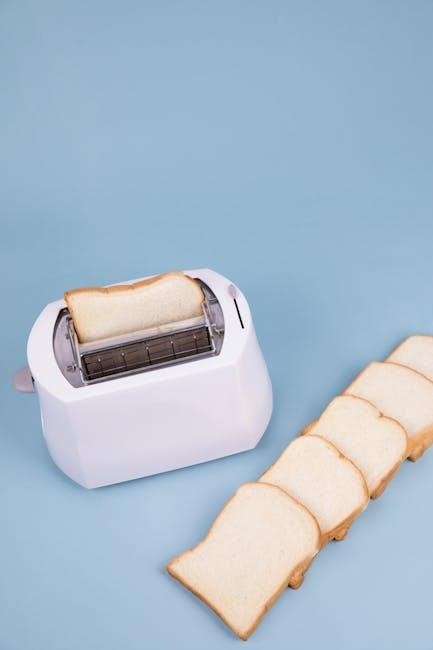
The function selector knob is central to operating your Black & Decker toaster oven. It allows you to choose between key cooking modes: Toast, Bake, and Broil. The Toast setting is designed for evenly browning bread products, often with a shade control. Bake is for general oven cooking, like casseroles or cookies, utilizing both upper and lower heating elements.
Broil uses the upper heating element for intense, direct heat, perfect for browning surfaces quickly. Some models include additional functions like “Warm” or “Air Fry”. Ensure the knob is firmly positioned on your desired setting before starting. Refer to your manual for specific usage guidelines for each function, as cooking times and temperatures may vary.
Toasting Bread: A Step-by-Step Guide
Toasting bread with your Black & Decker toaster oven is simple. First, place the bread slices onto the included rack. Next, select the “Toast” function on the function selector knob. Adjust the toast shade control dial to your preferred level of browning – start with a medium setting and adjust as needed. Set the timer dial to the desired toasting time; typically, 3-5 minutes is sufficient, but this depends on bread thickness and desired darkness.
Once set, the toaster oven will automatically begin toasting. Monitor the process to prevent burning. When finished, the timer will ding, and the oven will turn off. Carefully remove the toasted bread. Always use oven mitts or tongs when handling hot items.
Baking with Your Toaster Oven
Your Black & Decker toaster oven can bake a variety of small dishes. Place your food on a baking pan that fits inside the oven cavity. Select the “Bake” function using the function selector knob. Set the temperature using the temperature control dial; typical baking temperatures range from 350°F to 400°F (175°C to 200°C). Adjust the timer dial to the appropriate baking time, consulting your recipe for guidance.
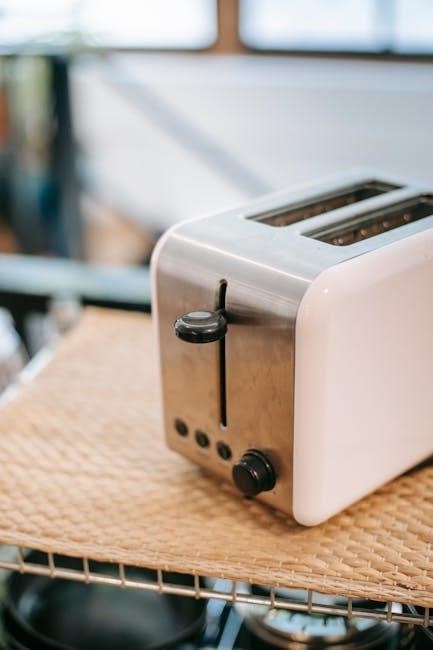
Preheating is generally recommended for optimal baking results. Monitor the baking process, and rotate the pan halfway through for even cooking. Always use oven mitts when handling hot pans and food. Ensure proper ventilation during baking to avoid excessive steam buildup.
Broiling Techniques & Safety Precautions
The “Broil” function on your Black & Decker toaster oven provides intense, direct heat for browning and crisping foods. Position the oven rack close to the heating element for optimal broiling. Place food on a broiling pan, ensuring it’s not too close to the element to prevent burning. Select the “Broil” setting and set the timer carefully, as broiling happens quickly.
Safety is crucial: never leave the oven unattended while broiling. Always use oven mitts when handling hot pans. Be aware that broiling can produce smoke; ensure adequate ventilation. Avoid broiling foods with high fat content, as this can cause splattering and potential fire hazards. Regularly clean the crumb tray to prevent grease buildup.
Using the Convection Feature (If Applicable)
If your Black & Decker toaster oven includes a convection feature, it utilizes a fan to circulate hot air, resulting in faster and more even cooking. This is ideal for baking, roasting, and even toasting larger quantities. When using convection, reduce the cooking temperature by approximately 25°F (15°C) compared to conventional baking.

For best results, avoid overcrowding the oven, allowing air to circulate freely around the food. Convection cooking often reduces cooking time, so check for doneness earlier than the recipe suggests. Ensure the convection fan is functioning correctly before starting. This feature enhances browning and crisping, delivering restaurant-quality results from your countertop oven.
Cleaning & Maintenance
Regular cleaning ensures optimal performance and longevity of your Black & Decker toaster oven. Always unplug the oven and allow it to cool completely before cleaning. Avoid abrasive cleaners, which can damage the interior surfaces. Wipe down the exterior with a damp cloth and mild detergent.
The crumb tray should be emptied after each use to prevent buildup and potential fire hazards. Removable racks and pans can be washed with warm, soapy water. For stubborn stains inside, a paste of baking soda and water can be applied, left for a short time, and then wiped clean. Proper maintenance keeps your oven functioning efficiently.
Cleaning the Interior
To clean the interior of your Black & Decker toaster oven, first ensure the unit is unplugged and completely cool. Remove any loose crumbs or debris with a soft brush or cloth. For baked-on food residue, create a paste using baking soda and water. Apply this paste to the affected areas and let it sit for approximately 15-20 minutes.
Gently scrub the interior with a non-abrasive sponge or cloth, avoiding harsh scouring pads that could scratch the surfaces. Wipe away the baking soda paste with a damp cloth, rinsing frequently. Ensure all traces of the paste are removed before using the oven again. Avoid getting water into any electrical components.

Cleaning the Crumb Tray
Regularly cleaning the crumb tray is crucial for maintaining your Black & Decker toaster oven’s performance and preventing unpleasant odors. First, unplug the oven and allow it to cool completely. Locate the crumb tray, typically at the bottom of the oven, and carefully slide it out. Dispose of any accumulated crumbs and debris into the trash.
The crumb tray is usually dishwasher safe; however, check your specific model’s manual for confirmation. If handwashing, use warm, soapy water and a non-abrasive sponge. Rinse thoroughly and dry completely before sliding it back into the oven. Cleaning the crumb tray after each use prevents buildup and potential fire hazards.
Exterior Cleaning & Care
Maintaining the exterior of your Black & Decker toaster oven is simple and ensures a long-lasting, attractive appliance. Always unplug the oven and allow it to cool completely before cleaning. Wipe down the exterior surfaces with a damp cloth and mild dish soap. Avoid using abrasive cleaners, scouring pads, or harsh chemicals, as these can damage the finish.
For stubborn stains, a paste of baking soda and water can be gently applied and then wiped clean. Pay attention to the control panel, ensuring no moisture enters the buttons or dials. Dry the exterior thoroughly with a soft cloth after cleaning. Regular exterior cleaning prevents grease buildup and keeps your toaster oven looking its best.
Troubleshooting Common Issues
If your Black & Decker toaster oven isn’t heating, ensure it’s properly plugged in and the timer is set. A tripped circuit breaker can also cause this; check your home’s electrical panel. If the oven isn’t toasting evenly, rotate the bread or food halfway through the cycle. For smoke during broiling, reduce the temperature or move the rack lower.
If the timer isn’t working, contact customer service at 1-800-465-6070. A burning smell during first use is normal as heating elements season. Persistent smells indicate food debris needing cleaning. Always refer to your specific model’s manual (available online as a PDF) for detailed troubleshooting steps and safety information.
Safety Precautions & Warnings
Always operate your Black & Decker toaster oven on a heat-resistant surface and ensure adequate ventilation. Never touch hot surfaces; use oven mitts or handles. Unplug the oven when not in use and before cleaning. Do not immerse the appliance in water. Avoid using harsh abrasives that could damage the interior.
Supervise children when the oven is in operation. Never operate with a damaged cord or plug. Do not place flammable materials near the oven. Ensure the crumb tray is securely in place to prevent fires. Refer to your model’s manual (TO1313B, TO1787SS, etc.) for specific warnings and detailed safety guidelines. Contact customer service with concerns.
Black & Decker Toaster Oven Model Variations (TO1313B, TO1787SS, TO1950SBD, etc.)
Black & Decker offers a wide range of toaster ovens, including the TO1313B (4-slice), TO1787SS (Air Fryer), and TO1950SBD (Countertop Oven). Each model features unique functionalities and capacities. The TO1322SBD and TO1332SBD are standard toaster ovens, while the TO3000 is a convection model.
Variations exist in size, wattage, and control panel designs. Air fryer models like the TO3215SSD include dedicated air fry settings. Always consult the specific manual for your model (available as a PDF download) for accurate instructions. Understanding your model number is crucial for finding compatible parts and troubleshooting effectively. Referencing the correct manual ensures safe and optimal operation.
Finding Replacement Parts
Locating replacement parts for your Black & Decker toaster oven is essential for maintaining its functionality. Numerous online retailers specialize in appliance parts, offering components for 63+ Black & Decker toaster oven models. Common replacements include heating elements, crumb trays, and control knobs.
When ordering, always have your specific model number (e.g., TO1313B, TO1787SS) readily available to ensure compatibility. Websites often have parts diagrams to help identify the correct component. Direct contact with Black & Decker’s customer service (1-800-465-6070) can also assist in locating hard-to-find parts. Prioritize genuine Black & Decker parts for optimal performance and safety.
Where to Download Manuals (PDF)
Accessing your Black & Decker toaster oven’s manual in PDF format is straightforward. UserManuals.tech hosts a comprehensive library, offering 660+ Black & Decker manuals, including those for various toaster oven models like TO2050S. You can easily download or print these documents for free.
Additionally, a quick online search using your specific model number (e.g., TO1313SBD, TO1950SBD) will often lead you directly to the official Black & Decker website or authorized distributor sites offering downloadable PDFs. Having the manual readily available ensures you can quickly reference instructions, safety precautions, and troubleshooting tips for your appliance.